DAM managers are custodians of context – not just metadata
If you’re searching for an alternative DAM to Brandfolder, don’t just compare platforms using one long feature checklist. Most established digital asset management systems share the same foundations: centralised storage, metadata, search, permissions, versioning, sharing and reporting.
Instead, look at how those features work together for you and your organisation:
- Can a non-technical user find the right image without training in DAM software?
- Can administrators control restrictions on download options?
- Can a consent form stay connected to every photo, video, or asset it pertains to?
- And can you understand the likely cost before entering a lengthy procurement process?
Brandfolder and Asset Bank are both capable DAM platforms, but they place different emphasis on creative production, branded distribution, intuitive organisation, pricing transparency and content controls.
This article explains what to assess when considering Brandfolder competitors, specifically Asset Bank, and where each platform may be the stronger fit.
Start with your organisation’s real DAM requirements
The best Brandfolder alternative is not necessarily the product with the most features. It is the platform that best matches your users, content, workflows, risks and budget.
Before booking demos of each platform, identify who will use the DAM and what they need to accomplish. Include frequent administrators, creative contributors (i.e., designers, freelance photographers, videographers), occasional/non-techy users and external partners. Their requirements will likely be very different.
For example, a designer may prioritise integrations and file conversion (which Asset Bank supports using the highly popular asset transformer module), while an occasional user needs simple navigation and straightforward, AI-enhanced searchability. An administrator may care about metadata, permissions, reporting and bulk management. A legal or compliance colleague may focus on licences, consent, expiry dates and audit trails.
Turn these needs into real scenarios that vendors can demonstrate, to get far more useful insight for your specific set-up, than asking whether a feature is simply available.
 Seven factors to consider when comparing DAM software
1. Usability and user adoption
A DAM only delivers value when people can use it. Ask how easily someone unfamiliar with your taxonomy can browse, search, preview and download an approved asset.
Asset Bank combines an intuitive interface with a familiar folder hierarchy (users at Telenor Group love Asset Bank's folder structures!). Organisations can structure content by brand, campaign, department, region or product, while metadata, filters and search support more advanced discovery. This folder-based approach is praised by clients including Telenor Group and the University of New Mexico.
Brandfolder provides a polished visual experience based on sections, collections, labels, custom fields and search. This can work well for teams comfortable with metadata-led organisation and curated brand experiences.
Usability is subjective, so include everyday users in product trials. Test common tasks and measure how much guidance each person needs.
2. Organisation, search and AI
Both Asset Bank and Brandfolder provide configurable metadata, filters, auto-tagging, duplicate detection and in-document search. Both can reduce manual effort and improve discovery across large content libraries.
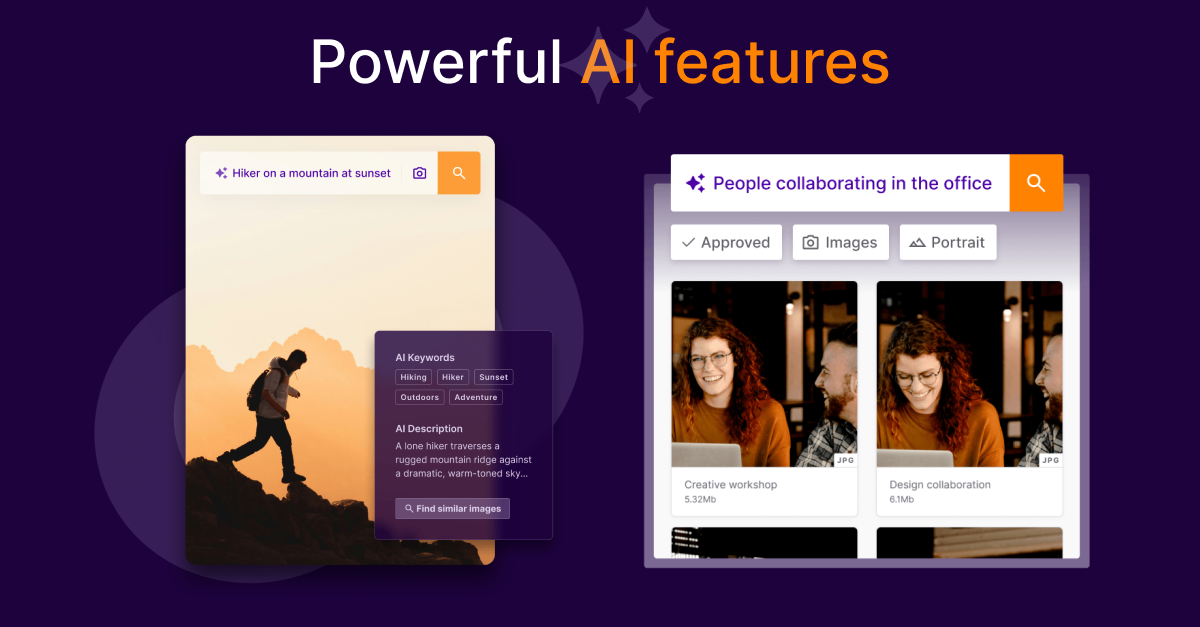
Asset Bank combines folders, metadata and collections, giving users several routes to the right content. Asset Bank's AI-powered DAM features include generated tags and descriptions, visual similarity tools and natural-language search on eligible packages.
Brandfolder uses sections, collections and labels alongside controlled custom fields and AI-assisted tagging. It also offers automation rules that can apply taxonomy based on triggers.
When analysing Brandfolder and competitors, test search using real terminology used by your teams, legacy filenames, common misspellings and poorly tagged assets. An impressive AI demonstration matters less than whether your users can consistently find what they need.
3. Usage rights and consent management
This is one of the clearest reasons to consider Asset Bank as a key Brandfolder competitor.
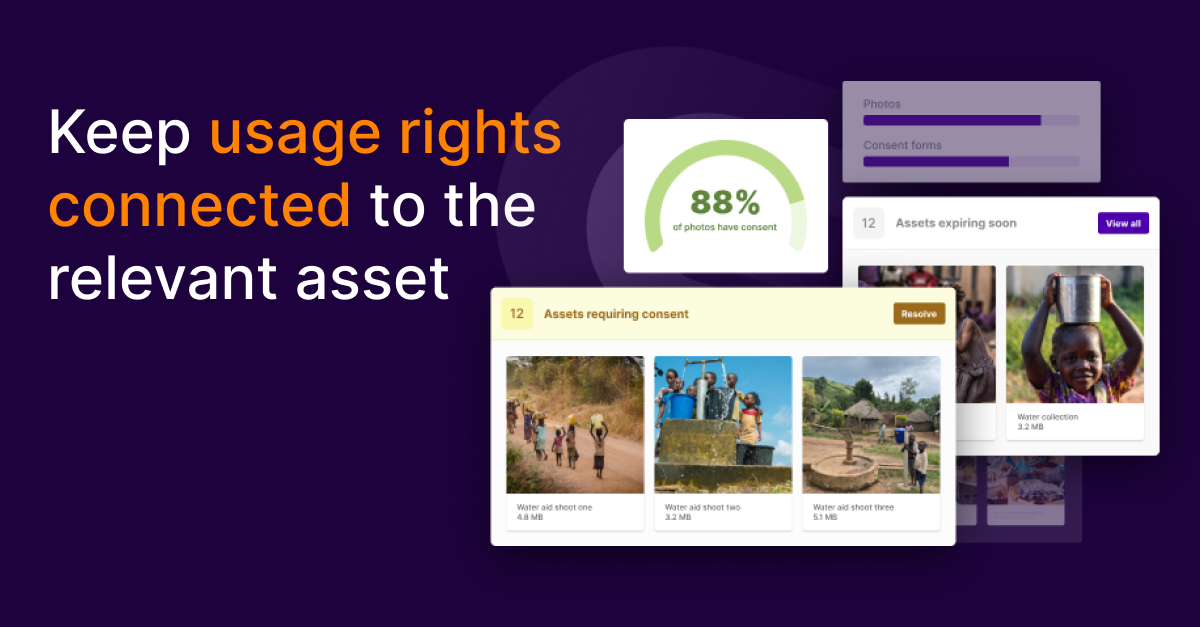
Asset Bank keeps usage rights connected to the relevant asset. Licence terms, required credits, regional restrictions and expiry dates can be displayed during preview and download. Administrators can require approval, capture intended use and automatically expire content when a licence ends.
Consent forms and model releases can be linked to the content they cover, either by linking many consent forms to one image, such as a large group of people, or by linking multiple images to one consent form, which may be useful in a model shoot scenario.
Access to sensitive records can be restricted, and affected assets can be identified if consent expires or is withdrawn.
Brandfolder supports availability dates, expiry alerts, permissions, approvals and access requests. These controls can support rights-management processes. However, its public product information does not document a directly comparable dedicated workflow for linking consent records to assets and responding to withdrawn consent.
Asset Bank is rolling out a dedicated Consent Manager, which will provide an instant snapshot of where consent is linked to assets – and flag any that need a consent form to be connected. Without consent attached, an asset will not be visible to non-admin users.
If your organisation uses photography or video featuring identifiable people, ask each provider to demonstrate the complete consent lifecycle rather than a generic expiry-date field.
4. Permissions, approvals and external sharing
Both platforms provide permissions and branded external sharing, but buyers should examine how precisely those controls can reflect their organisation.
Asset Bank lets administrators control who can view, upload, edit, download and share content. Permissions can be configured around teams, departments, brands and external partners. Assets can remain discoverable while requiring approval before download, with intended use recorded in the download logs.
Password-protected collections and Sharing Portals provide organised access for agencies, partners, distributors, franchises, photographers and journalists. Portals reflect the current state of the DAM, helping prevent deleted, replaced or expired content from remaining available externally.
Brandfolder provides permissions across organisations, Brandfolders and Collections, alongside private Collections, access requests, share links and Portals.
When comparing DAM software, test a restricted asset from discovery to download. Check what the user sees, who approves the request and what remains in the audit record.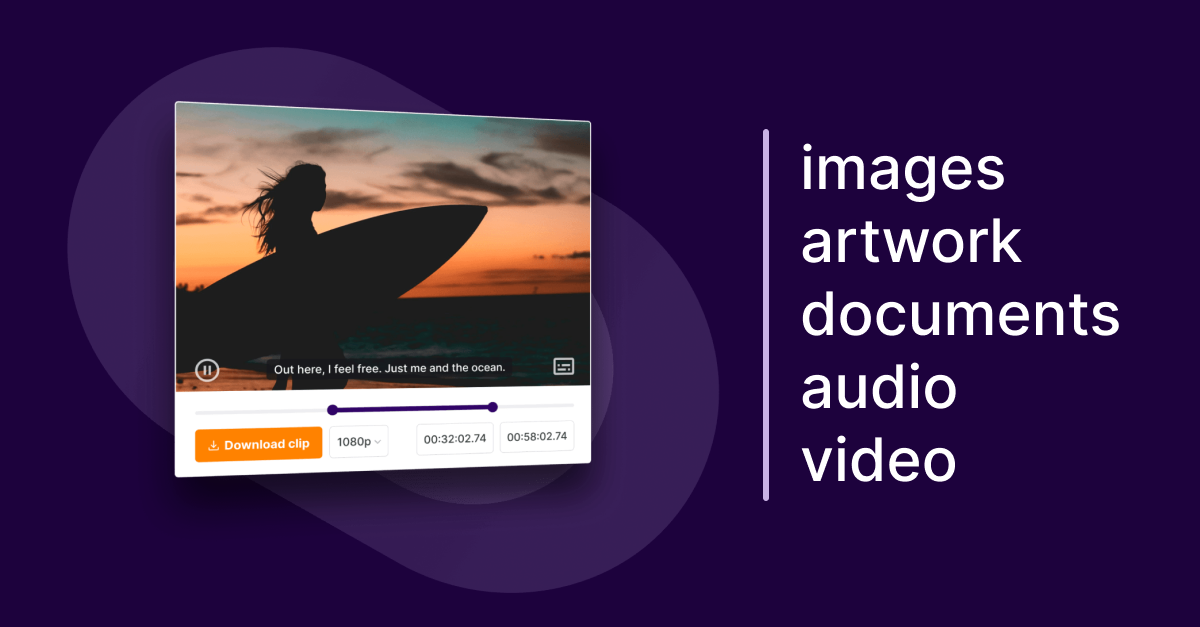
5. Creative, video and distribution tools
Brandfolder has particular strengths in native creative and brand-distribution tools. It offers editable templates, Brandguides, visual comments and annotations, web-to-print options and smart asset embedding. Its video capabilities include clipping, transcoding, watermarking and captions.
Asset Bank supports images, artwork, documents, audio, video and other digital file types. Users can convert and resize files during download with our asset transformer, auto-generate subtitles when videos are uploaded, which can then be previewed, edited and downloaded as .vtt or .srt files, and download selected video clips. Branded pages, collections, sharing portals and embeddable assets support content distribution.
Asset Bank provides templating through integrations rather than a comparable native editor.
If browser-based template creation, digital brand guidelines or web-to-print are central requirements, Brandfolder may be the stronger option.
If the priority is managing and distributing varied content through an intuitive DAM, Asset Bank provides a broad feature set without placing creative production at the centre of the platform.
6. Integrations, reporting and administration
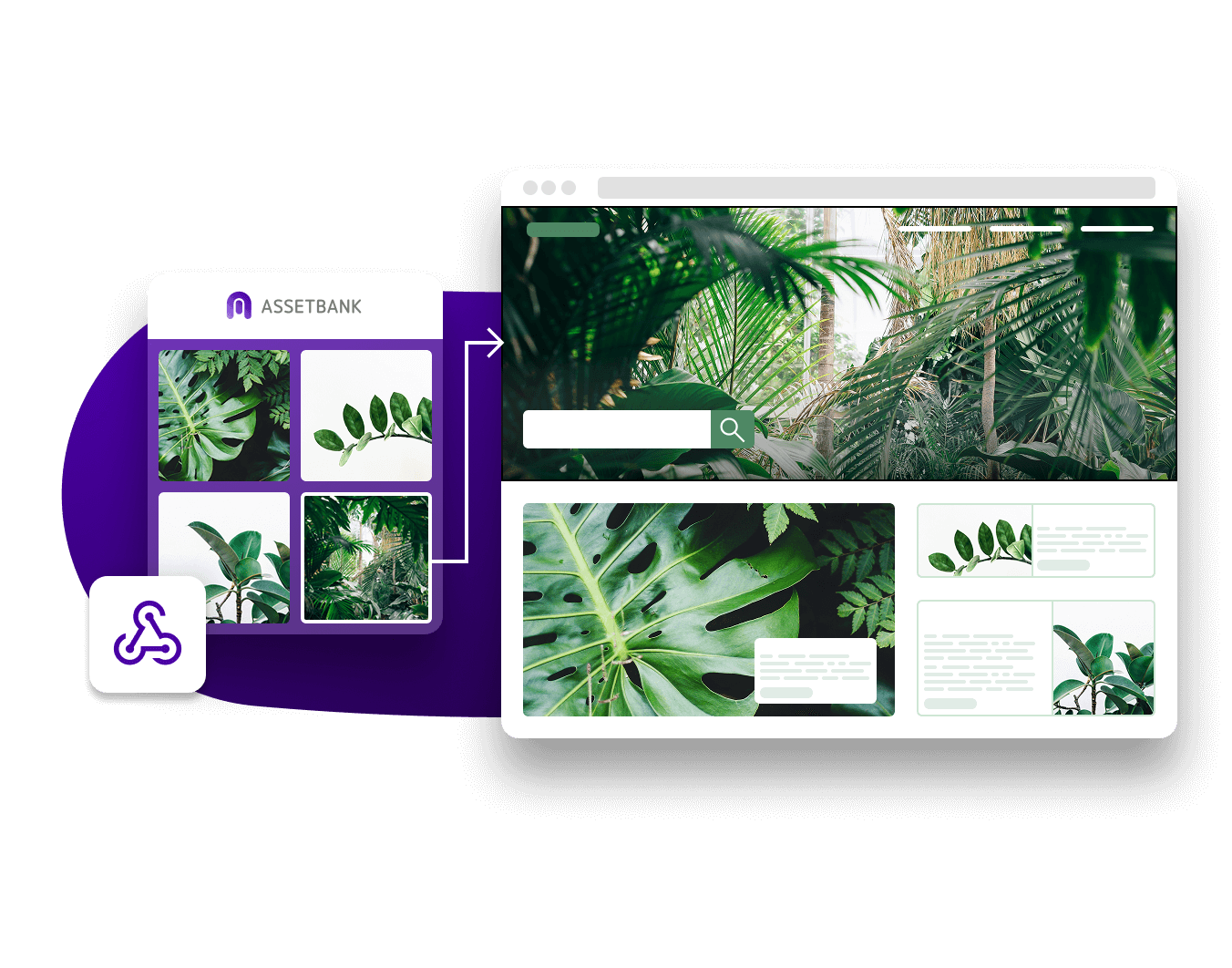
Both products connect with other marketing technology. Asset Bank offers integrations with Adobe Creative Cloud, Canva, Figma, Microsoft 365, Google Workspace and WordPress, as well as a REST API.
Brandfolder lists integrations with platforms including Adobe Creative Cloud, Canva, Figma, Microsoft Office, Salesforce, HubSpot, Contentful, Shopify, Slack, Smartsheet and Workfront. It also supports APIs, webhooks and automation tools.
Both platforms provide usage analytics. Asset Bank provides detailed reports on users, groups, downloads, searches, popular assets and audit activity. Brandfolder provides asset, user, Brandfolder and Collection analytics, with a data connector available on its Enterprise plan.
Ask vendors to demonstrate the exact integration and report you need. Check what users can do inside the connected application, whether usage-rights information remains visible and whether the capability requires an additional licence.
7. Pricing, onboarding and total cost
Asset Bank publishes annual packages starting from £5,949, plus set-up fees. Professional starts from £9,849 per year and Asset Bank’s Enterprise DAM software plan starts from £19,499/year. Published tiers make initial budgeting and comparison easier, although the final price depends on users, storage and requirements. View current Asset Bank pricing.
Brandfolder uses custom pricing. Organisations must request a quote to understand the likely cost.
Both products can be configured for each customer. Asset Bank’s onboarding includes a named implementation consultant and administrator training. Brandfolder advertises personalised onboarding, asset curation, tailored training and dedicated account management.
Ask exactly what each implementation includes and who will be responsible for migration and ongoing configuration.
 Is Asset Bank the right Brandfolder alternative for you?
Asset Bank is a strong fit for marketing, brand and communications teams that want an intuitive, configurable DAM with a broad feature set and particularly strong usage-rights, permissions and consent-management capabilities.
It can be especially valuable for higher education, charities and not-for-profits, travel and leisure, food and beverage, housing and real estate and automotive. These organisations often serve varied user groups while managing content with licences, consent requirements and access restrictions.
Brandfolder may be the stronger choice when native templates, Brandguides, creative annotations, web-to-print or enterprise brand-distribution tools are the leading priorities.
Neither platform is universally better. The right decision depends on which product performs your most important workflows clearly, reliably and at an acceptable total cost.
A practical Brandfolder alternative evaluation checklist
Ask each vendor to demonstrate these scenarios using your own content:
- An occasional user finding an approved asset by browsing and searching.
- An administrator uploading content with mandatory metadata and rights information.
- A user requesting permission to download a restricted file.
- A licence expiring and the relevant asset becoming unavailable.
- Consent being withdrawn and every affected asset being identified.
- An agency accessing a branded, current collection of approved content.
- A file being replaced and previous users being notified.
- A marketer accessing content through an everyday creative or productivity tool.
- An administrator reporting on downloads, searches and user activity.
- The platform scaling to your expected users, storage and distribution needs.
This turns a generic feature comparison into evidence about how each DAM will perform in practice.
Frequently asked questions
What is the best Brandfolder alternative?
The best Brandfolder alternative depends on your requirements. Asset Bank is a strong option for organisations seeking familiar folder-based navigation, flexible configuration, transparent pricing and comprehensive usage-rights, permissions and consent-management capabilities.
What is the main difference between Asset Bank and Brandfolder?
Asset Bank combines broad DAM functionality with familiar folders and a particular emphasis on rights, permissions and consent. Brandfolder places greater emphasis on enterprise brand distribution and native creative tools such as templates, Brandguides and annotations.
Is Asset Bank cheaper than Brandfolder?
Asset Bank publishes annual pricing from £5,949 plus set-up fees. Brandfolder uses custom pricing, so the exact difference cannot be established without a comparable quote covering the same users, storage and features.
Is Brandfolder an off-the-shelf DAM?
Both Brandfolder and Asset Bank are configurable SaaS platforms, rather than rigid off-the-shelf products. Customers can tailor branding, metadata, permissions and automation within both products’ existing frameworks.
Which platform is easier to use?
Usability depends on your users, and the content structures they’re used to. Asset Bank’s familiar folder hierarchy can provide occasional users with a clear starting point, while Brandfolder offers a visual experience centred on Sections, Collections and Labels. Test both with representative users.
Can both platforms use AI to find assets?
Yes. Both offer AI-assisted tagging and discovery, although capabilities and package availability vary. Asset Bank also provides generated metadata, natural-language search and visual similarity tools on eligible packages.
Which DAM is better for consent management?
Asset Bank is the stronger choice when dedicated consent and model-release workflows are required. On eligible packages, consent records can be linked to relevant content, protected with permissions and connected to expiry or withdrawal processes.
Can Asset Bank and Brandfolder both restrict downloads?
Yes. Both support view-only access and download-request workflows. Asset Bank can also capture intended use, route requests to approvers and retain this information in download logs.
Do both platforms integrate with other software?
Yes. Both integrate with widely used creative, productivity and marketing platforms and offer APIs for additional connections. Compare the exact action supported by each integration and whether extra licences are required.
Can Asset Bank manage video content?
Yes. Asset Bank can store, preview, organise, control and share video. It can generate subtitles during upload and let users download selected clips. Brandfolder also provides video tools, including clipping, transcoding, watermarking and captions.
The bottom line
Choosing an alternative DAM to Brandfolder starts with understanding the outcomes your organisation needs, not finding a product that reproduces every Brandfolder feature.
Brandfolder is a capable enterprise DAM with notable strengths in brand distribution and native creative tools.
Asset Bank is a compelling alternative to Brandfolder for organisations that want intuitive organisation, powerful discovery, flexible configuration, transparent pricing and strong control over how content is accessed and used – with enterprise DAM capability.
Its combination of usage-rights visibility, granular permissions and linked consent records helps teams use assets confidently, keep content in the right hands and protect the rights attached to every file.
Explore our comparison page for Asset Bank vs Brandfolder.
To discuss Asset Bank as a Brandfolder alternative, book a demo or start a free trial to evaluate the platform using your own assets, users and workflows.
The Brandfolder information in this article is based on publicly available product and pricing information at the time of writing. Features, packages and services may change. Confirm specific requirements and entitlements directly with each provider.
Dont’ forget to share this post