


What is 'digital asset management'?

Not to be confused with the world of finance, 'digital asset management' (DAM) refers to how you manage all your digital assets: your photos, videos, podcasts, headshots, the latest marketing collateral, logos, up-to-date branding, etc.

“DAM” is the most common term to describe the process of centralising, managing and sharing a company’s digital files. And it can make your life a whole lot easier...

dam-hero

DAM software key insights

What is it?

SaaS software that stores and manages digital files. It can integrate with your existing systems to make finding and using your content is easier than ever.

What does it do?

It's a centralised platform designed to store, organise, manage, and distribute online assets like images, videos, documents, and creative files.

Who uses it?

DAM systems are widely adopted across industries, such as retail, travel, manufacturing, construction, education, not-for-profit, IT, and media & advertising.

Who benefits?

Marketing, creative, and sales teams commonly use DAM software for secure file-sharing and ensuring the most up-to-date content for brand image control.

state1

30%

Over 30% of marketers spend three weeks a year just looking for files

state2

83%

83% of office workers have had to recreate content because they couldn't find the original

state3

73%

73% of people say their company has no guidelines for file naming conventions

Okay, so, what's a 'digital asset management system'?

A DAM system is your centralised SaaS hub for storing all your digital assets – photos, video, audio, branding collateral, and more. And with AI-powered tagging and smart search built in, finding what you need is effortless.

At its core, this software is intuitively accessible, so you – and anyone you want – can immediately find the documents you or they need. You can even download them in the size and file type you want! Wasted hours spent searching for, downloading, resizing, and recreating files are finally a thing of the past.

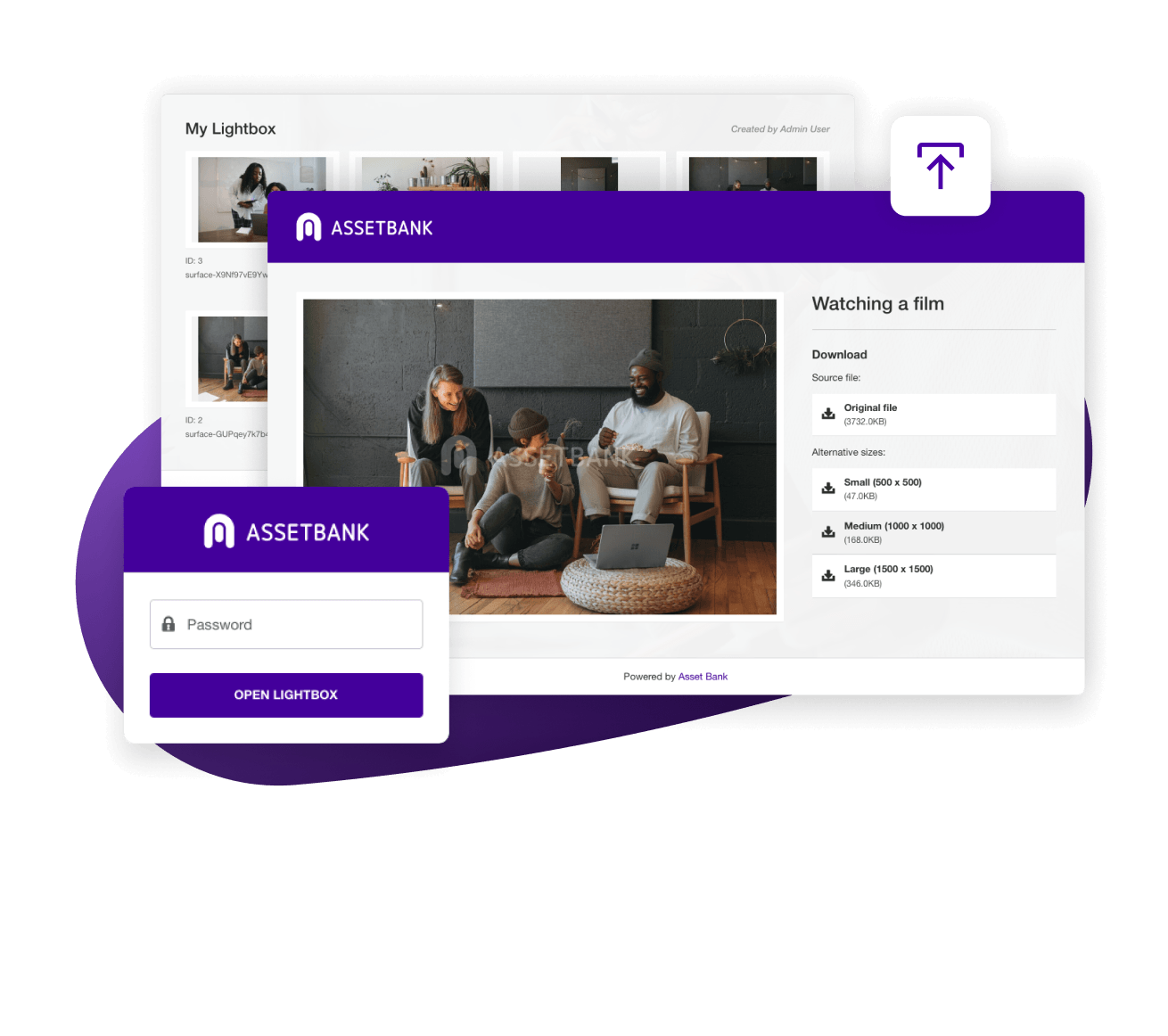
Just upload assets to your image library software, and effortlessly share with in-house individuals, external agencies, third-party platforms and more:

So, if someone suddenly needs access to a marketing campaign from 2015, you – or they – can get hold of that content instantly.

10x your filing with DAM software

Can you access any digital asset you need – instantly? And be certain it’s the ‘right’ version? Do you know who needs crediting or if an image is licenced? Is a photoshoot from 2017 hidden on an internal drive that no one’s able to track down?

As businesses scale, digital asset management can prove tricky to update and maintain – and asset retrieval can turn into a time-draining task.

If this sounds familiar, you’re not alone, and you probably need a digital asset management solution, pronto.

home-flexible-june-2025
digital asset

What counts as a 'digital asset'?

Think of all your marketing collateral for a single campaign. These are all examples of digital assets that you're likely familiar with, and could include: web banners, PDFs, eBooks, display ads,  social media graphics, photo shoots, videos, podcasts and audio files, animations, logos and branding, sales pitch decks, product one-pagers...

With AI-enhanced, multilingual, natural language search and auto-tagging, a DAM lets anyone on your team find the right asset – even if they don’t know the exact keyword – quickly and confidently.

Take our interactive product tour to see our DAM software in action

See how our digital asset management platform can save you time across multiple workflows, improving efficiency, speed-to-market, and cross-team collaboration.

Benefits of digital asset management software

DAM software solves common marketing team inefficiencies and communication challenges with AI-driven tools that auto-tag, detect duplicates, and suggest similar images. It’s THE marketing must-have tool that most teams don’t even realise they need.

scroll-img4 scroll-img4 scroll-img4
icon1
Streamlined workflows

By integrating with other applications, such as Salesforce, your CMS, Microsoft 365, Canva, Figma and Adobe. Plus, file conversion at download means even the most inexperienced users can easily get the file type they need.

icon2
Restricted access to content

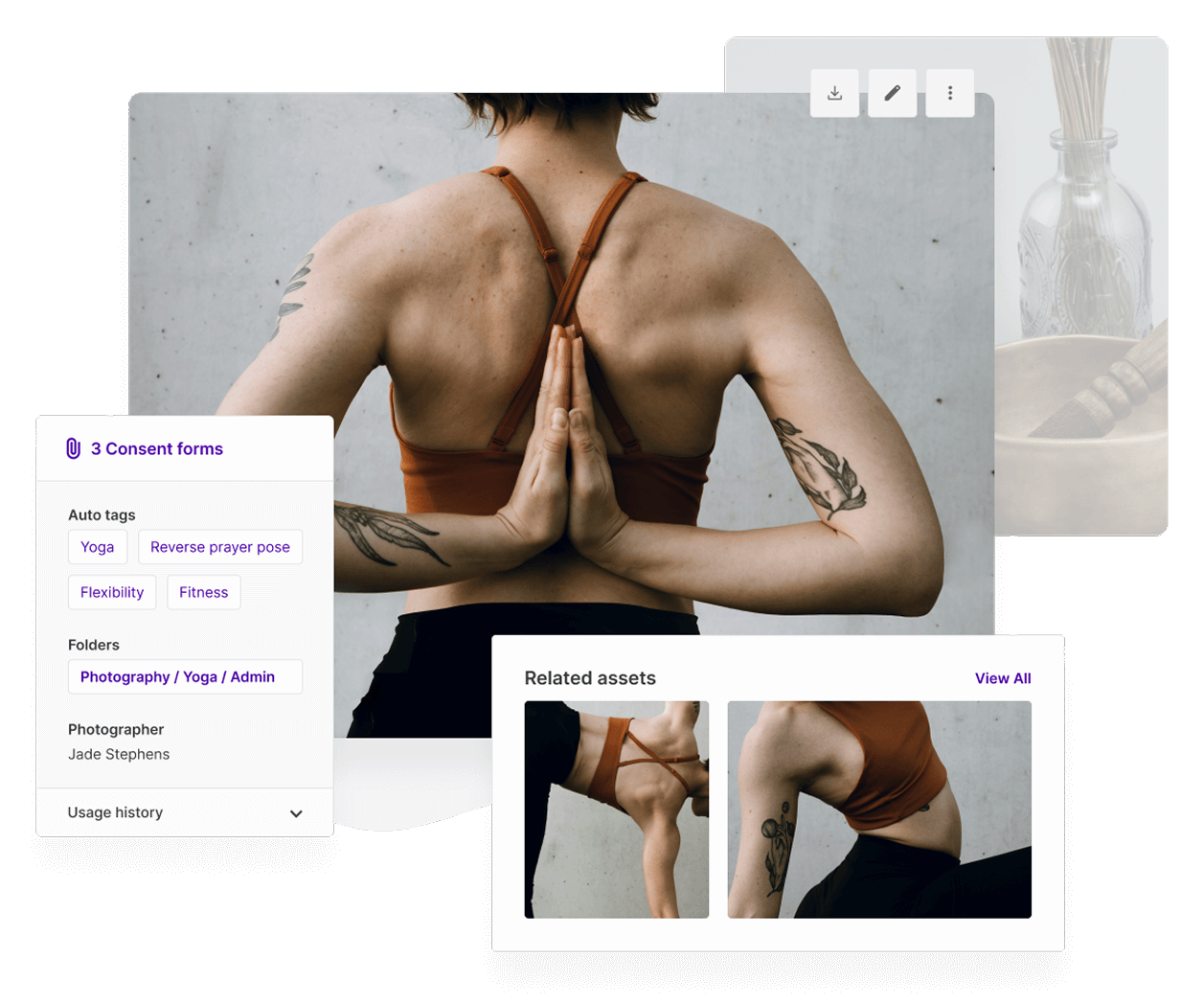
By setting permissions and restricting asset visibility. Photography credits and consent form management can be applied to individual assets for complete transparency.

icon3
Controlled distribution

Controls distribution of embargoed content by displaying exactly when and how assets can be used. ‘Expiry alerts’ highlight when an asset has been updated and needs replacing - even when it’s already been downloaded.

icon4
Brand consistency

Maintains brand consistency and brand reputation by using version control to track changes to assets, and by using duplication detection to flag existing versions. You can also customise your DAM to match your company, for a seamless, on-brand experience.

icon5
Hours saved

Saves hours spent searching for content, and lets you enjoy seamless productivity, optimising staff expenses.

icon6
Maximised ROI

By repurposing historical content into fresh, new versions with original files that are easy to find, rather than commissioning new assets because originals have been lost.
Calculate how much you could save with Asset Bank using our DAM ROI calculator

Standard DAM features

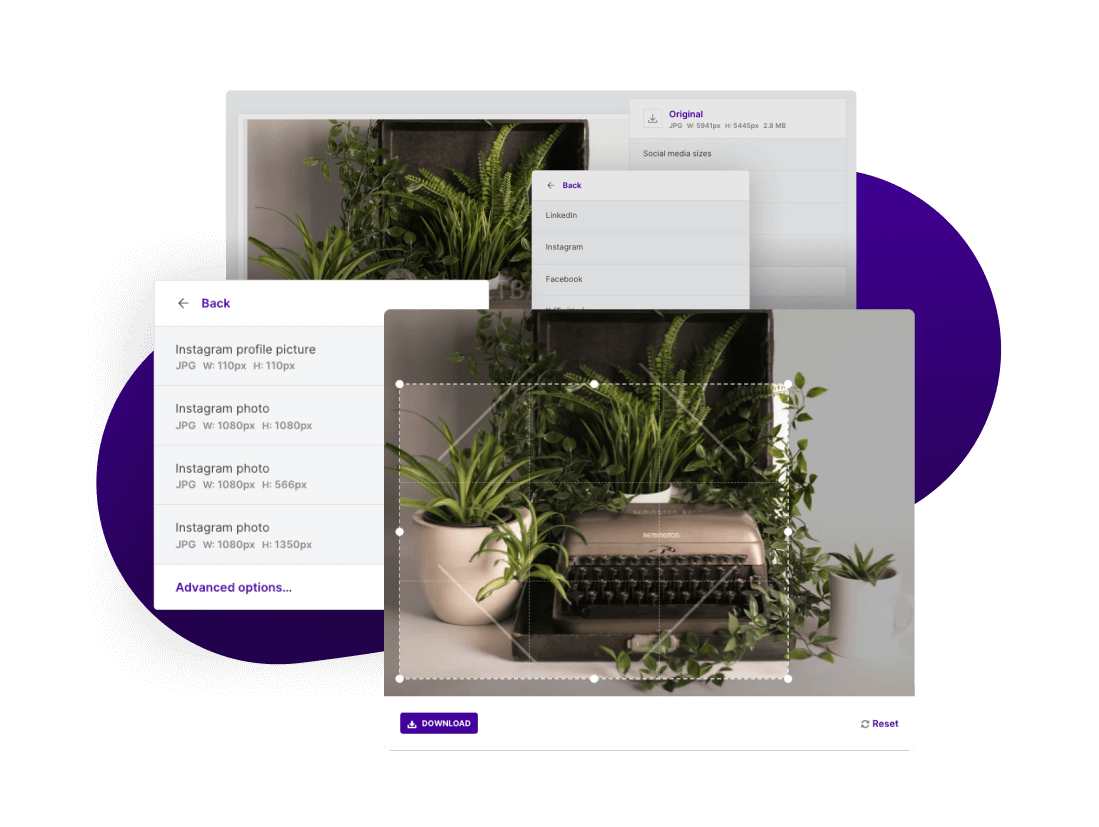
Crop images at source – and download for your exact specs

Once you’ve found the right asset, you can download it in the most appropriate file type for your needs.

Built-in tools mean you can resize, crop, and reformat assets directly within the platform. Instantly turn a jpg into a PDF, or crop and re-size an image for a social post, an email banner, or a stakeholder’s upcoming presentation.

No need to download, open in third-party tools, adjust, export and upload to your platform; you can do all this within the DAM system.

Quick download
download

Customise your default asset download options

You can even customise your default asset download options to be most suited to what you typically need. I.e., if you frequently need to use your images on blog posts and social media, you can pre-set the download sizes for those platforms, meaning your content is always the right size. It just makes sense!

In case we hadn't stressed this enough already, finding an image or asset is incredibly straightforward. Just type in a keyword (e.g., ‘Plant’) and voila! Your results pages are populated with any asset that has 'plant' in the name, description, tagged keywords, embedded data or in the AI-generated auto-tags.

These features make DAMs ideal for users who aren’t tech-savvy and who just need a self-serve asset quickly, without having to ask others in the marketing team for help.

AI features for a smarter DAM platform

Automatic metadata tagging

AI does the tagging for you – generating smart metadata in seconds so assets are easy to find and use.

Automatic alt-text generation

AI generates detailed alt-text, providing richer, more accurate descriptions that make assets easier to find. No manual tagging needed.

AI-powered image descriptions

AI automatically generates descriptions for each image at the point of upload, so you can simply review and set live!

AI finds your untagged content

AI search analyses images, revealing untagged assets and supporting queries in English, French, German and Spanish.

Natural language search

AI turns plain descriptions into precise searches, helping any team member find the right asset without knowing exact keywords.

AI similar image suggestions

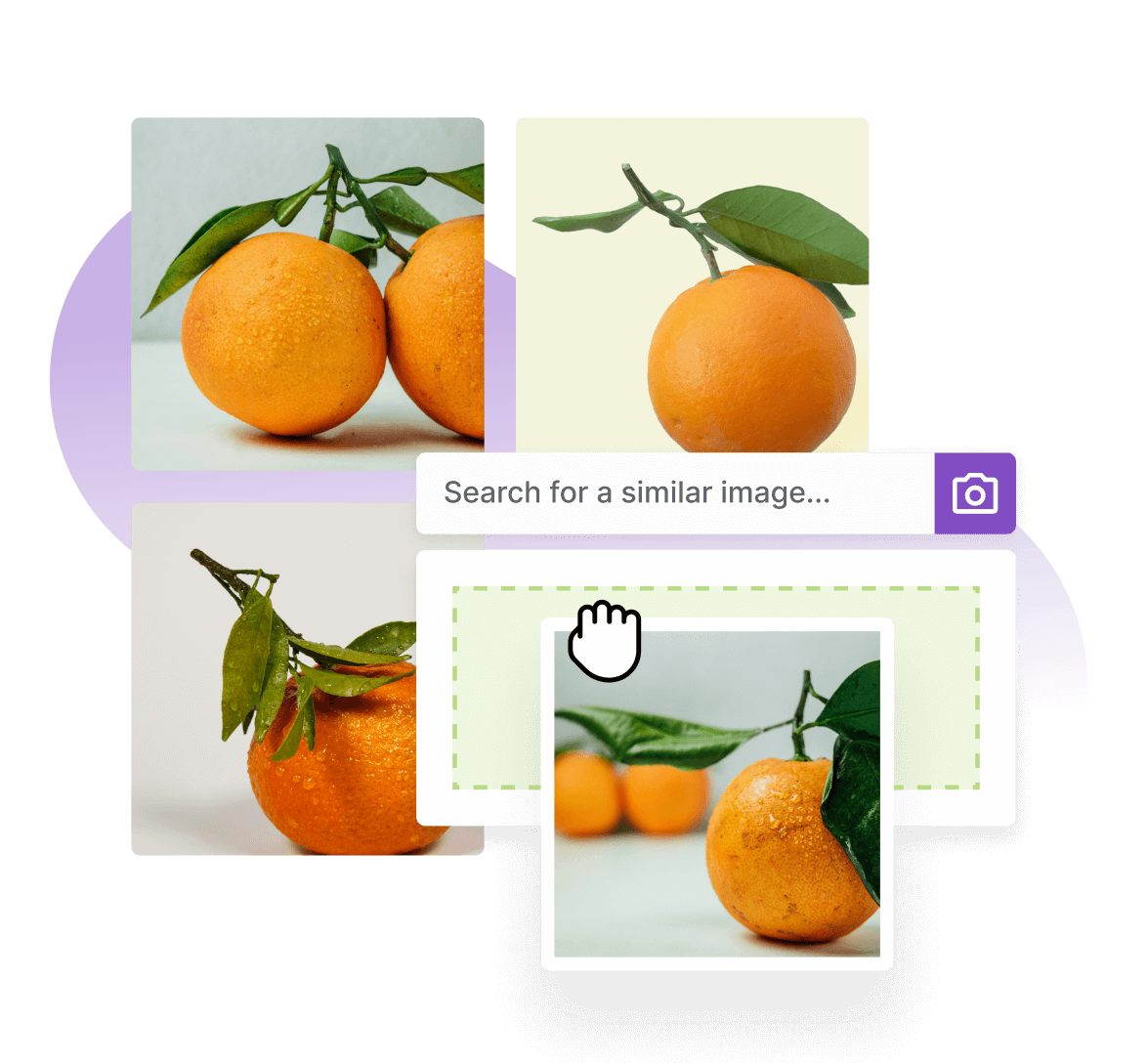
Our AI Similar Images tool suggests assets with matching style, palette, or subject – great for maintaining look and feel.

AI reverse image search

Drag and drop in an image to find high-res originals or similar files, helping cut costs and make the most of existing assets.

Duplicate assets detected

Asset Bank spots duplicate uploads instantly, alerting users to ensure there is only ever a single source of truth for all approved content.

Asset recognition & analysis

COMING SOON: AI auto‑transcribes audio/video content, creating searchable metadata to make assets easier to find and organise.

View Asset Bank's AI features

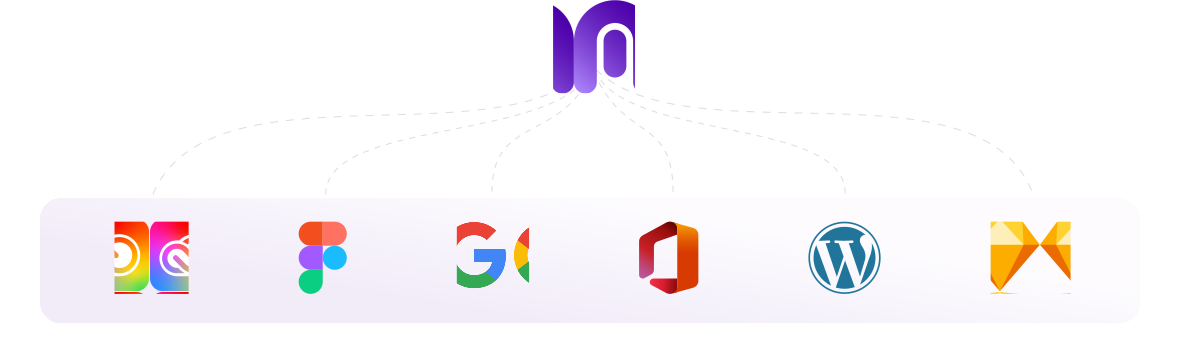
Seamless integrations = Smoother workflows

Effortlessly connect your design, templating, and content management tools to save time and boost efficiency.

Which teams use DAMs?

Internal teams

check-1
Marketing, brand and design teams

They need to rapidly share documents back and forth for review, amends, and final sign-off, as well as share within teams for distribution across website updates and social media graphics.

check-1
PR teams

They can share permissions-based links to on-brand digital asset bank libraries with press contacts for easy download and directions for asset use, ensuring brand consistency and adherence to brand guidelines.

check-1
Sales and sales enablement teams

They need access to assets for pitch decks and sales collateral – such as one pager PDFs, aspirational imagery, or client-specific logos – wherever they are worldwide.

check-1
IT teams

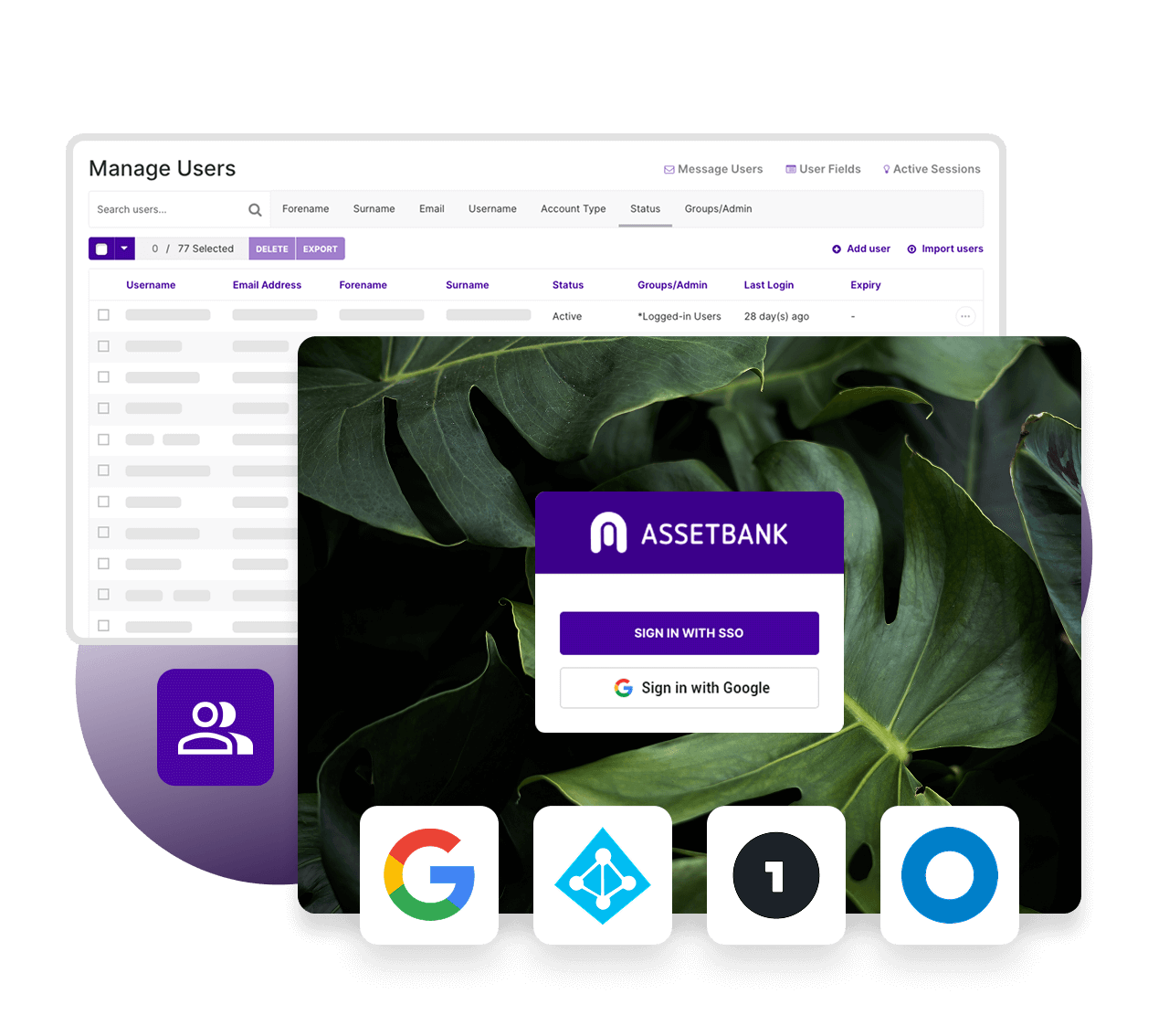
As DAM systems’ tight security, access controls, encryption, and audit trails, make it easier for IT teams to maintain data security and meet compliance requirements without custom-built solutions.

check-1
Stakeholders

Who require stronger security and rights management for sensitive digital content.

External providers

check-1
Freelancers

Such as photographers, designers, copywriters, and videographers who need access to approved brand assets.

check-1
Agencies

Advertising, marketing, and creative agencies collaborating on campaigns or projects.

check-1
Partners

Business or channel partners who need branded materials for co-marketing or joint ventures.

check-1
Vendors

Print shops, media outlets, or suppliers who require access to specific assets for production.

check-1
Distributors

Retailers or wholesalers who need product images, descriptions, or promotional materials.

check-1
Press/Media

Journalists and PR professionals who use media kits, press releases, or high-res images.

Which industries use DAMs?

check-1
Higher education

To help universities manage a vast library of images, videos, and promotional materials used for recruitment campaigns, alumni engagement, and event promotion.

check-1
Not-for-profit organisations

To centralise media for fundraising efforts, ensuring their teams and external partners can quickly find impactful images and videos that resonate with donors.

check-1
Travel and leisure

To manage enticing visuals and marketing content for destinations, hotels, and activities across the industry.

check-1
Retail

To streamline product imagery and marketing assets across channels. A clothing brand, for example, can use a DAM to ensure consistent use of campaign visuals across e-commerce platforms, social media, and in-store displays.

check-1
Professional services

To manage case studies, presentations, and thought leadership content, ensuring materials are easily accessible to client-facing teams.

check-1
Manufacturing companies

To manage technical documents, product images, and training videos, providing distributors and sales teams with up-to-date resources that ensure brand consistency and product accuracy. 

Digital asset management vs cloud file storage

DAM software sounds kinda familiar, right? A bit like traditional cloud-based storage or shared drive, like Google Drive or Dropbox? You’re not wrong if you think that, but a DAM goes so much further.

A lot of businesses begin by using shared drives and cloud storage. But, as their asset libraries expand and more people require access to assets, organisational needs become more complex, and a digital asset management (DAM) system is a far more scalable solution.

Asset Bank’s DAM system goes beyond simple cloud-based storage, by offering robust features tailored to optimise asset management, collaboration, and brand integrity, as well as human, personal customer support.

digital assets1

Best practices for implementing digital asset management software into your business

ebook-img

Implementing a digital asset management (DAM) system is all about planning. Start by defining clear goals - know what problems you’re solving, whether it’s speeding up asset retrieval, ensuring brand consistency, or boosting team collaboration. These objectives will keep your implementation focused and impactful.

  • Define clear goals and objectives
  • Select the right DAM solution for your needs
  • Develop metadata standards and governance policies
  • Onboard your teams
  • Provide adequate user training and support

Choose a DAM solution that fits your needs, considering scalability, integrations, and user experience. Establish metadata standards and governance policies to keep assets organised and easy to find; consistency is key.

Finally, for optimum DAM uptake, you need to get your teams onboard. Train your users and offer ongoing support. A well-trained team ensures the DAM becomes an integral, time-saving tool rather than an underused platform. 

Read our guide on solving martech adoption: From resistance to results.

Frequently asked questions

What is digital asset management and why is it important?

Simply, DAM software provides users with easy access to everything they need to create consistent, on-brand content. Time is so often wasted finding an asset, let alone ensuring it’s the most up-to-date version, or if it’s in the correct format. This lack of overall control can lead to duplication of media, branding issues and unprofessional inconsistencies - let alone a few headaches!

With a digital asset management tool, your staff and partners have a central location in which to quickly and easily find and then use digital assets. You slash approval times, you can fully control your brand, you can share assets at high speed (even out of hours) and you can create global, multilingual, branded resource pools.

Read more in our Business advantages of DAM software eBook

Do I need digital asset management software?

Do you have digital assets like mp4 files, pdfs, jpgs? Do you need to find them quickly, share them internally and externally, and keep a close eye on brand consistency in the meantime? If so, you could probably benefit from a digital asset management solution.

How much does a digital asset management tool cost?

Check out our competitive DAM pricing plans that cater for different business sizes, storage requirements and different digital asset management solutions! Customisable options may be available, so book in a call to speak to one of our consultants for more info.

Who manages a digital asset management system?

That really depends on the size of your team. Some companies may have a dedicated digital asset manager, or a digital asset archivist, while managing the DAM system may also fall within the remit of a marketing, comms, brand or design manager.

Ideally, you’ll have someone in a marketing, creative, or IT role at the helm, keeping things organised and running smoothly. They’re the ones setting up metadata, managing user permissions, and making sure everyone knows how to use the system properly.

But it’s not just down to one person – teams like design, or brand management – even sales! – often pitch in, uploading assets, tagging them, and ensuring everything stays up-to-date. Think of it as a team effort to keep the system shipshape and working for everyone.

I know I need a DAM system; how can I convince the rest of the team?

The internal pitch for onboarding new software and rolling it out across the team can be a whole project in itself. To help you on that journey, we’ve created a guide for solving martech adoption: From resistance to results.

On-premise or cloud-based DAM solutions?

On-premise DAM solutions typically involve higher upfront costs, while cloud-based options come with recurring fees that grow with your data needs. Cloud solutions excel in scalability, offering access to Cloud only features - Including AI tagging, New Uploader V2, Admin Dashboard, MFA, Adobe CC and Microsoft Connectors, External Uploader and more.

Cloud-based DAM software ensures automatic upgrades and improvements as soon as they're released, faster bug fixes and speedier support. It ensures greater flexibility – host your solution with us in in any Amazon Web Services (AWS) region including the EU, North America, Canada, Bahrain, Hong Kong, Singapore, Australia, UAE and many more, using the latest AWS technologies – and fully managed security – we are an ISO/IEC 27001:2022 (ISO 27001) certified supplier.

Chat to Us

Want to chat to a member of our friendly team?

They'll listen to your pain points, show you where Asset Bank can help, and they'll even set you up with a no-obligation, 30-day trial – completely free-of-charge.