
Why Telenor chose Asset Bank to simplify global asset management
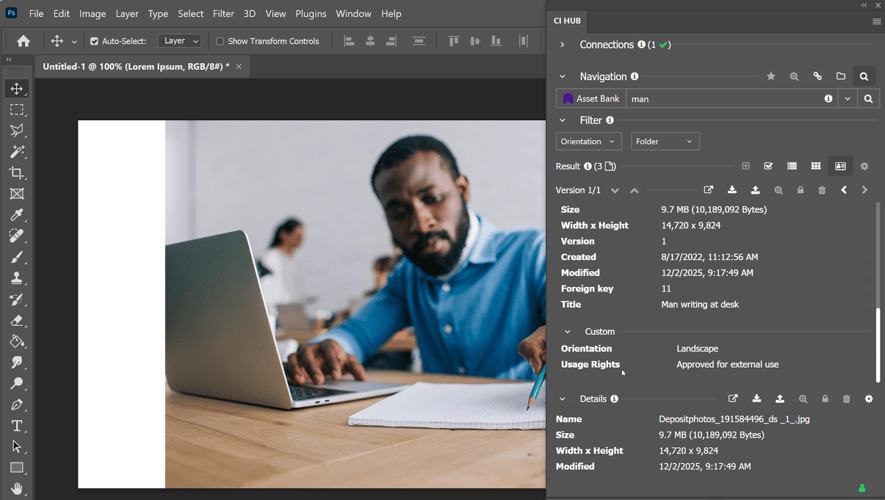
Compliance is rarely the exciting part of marketing, but, it’s the part that keeps your organisation safe.
In fact, staying compliant with image licences, copyright rules and consent requirements is no longer optional.
For marketing teams, the risks are real – financial penalties, reputational damage to your brand, and GDPR breaches.
Manually tracking release forms and documentation via spreadsheets and shared drives just doesn’t cut it anymore. Plus, these often open you up to human error and are easy to lose sight of.
And that’s where Asset Bank comes in.
Our digital asset management system is built around compliance and control.
Asset Bank brings together a powerful set of product features and flexible configuration options under one clear goal: compliance and control.
Rights management isn’t an afterthought or an optional extra for our DAM platform. It’s woven through the entire system, helping you use assets confidently, control access and protect rights at every stage.
Why rights management matters in a DAM
A digital asset management system should do more than store files. It should actively reduce risk.
With Asset Bank, you can:
- Communicate exactly how an asset can and cannot be used
- Control who can access and download it
- Enforce licence periods automatically
- Record acceptance of complex agreements
- Maintain clear audit trails
Every organisation has different requirements around copyright, usage rights and consent. Asset Bank is highly configurable, so your compliance setup reflects your real-world use cases.
Flexible rights management that fits your organisation
No two organisations handle rights in the same way.
A university might need to track parental consent for student photography.
A travel brand may need to manage talent rights that only allow use in certain countries.
A charity might be required to credit photographers on every published image.
Asset Bank’s usage rights and credit fields can be configured to match your exact needs – whether that means dropdown options, structured checklists, or custom icons that make restrictions instantly clear.
If you need to define “internal use only”, “editorial use only” or “do not use after 31 March”, you can.
If you need region-specific or department-specific restrictions, you can do that too.
Rights management should reflect how your organisation actually works – not force you into a rigid model.
Making rights impossible to ignore
Rights only protect you if your users can see them.
That’s why Asset Bank makes usage information highly visible at every key moment.
When users search for assets, rights can be displayed directly in preview panels. Some organisations use colour-coded systems – green for unrestricted, amber for limited use, red for restricted. It removes guesswork immediately.
When a user opens an asset, rights and credit details can be highlighted prominently at the top of the page.
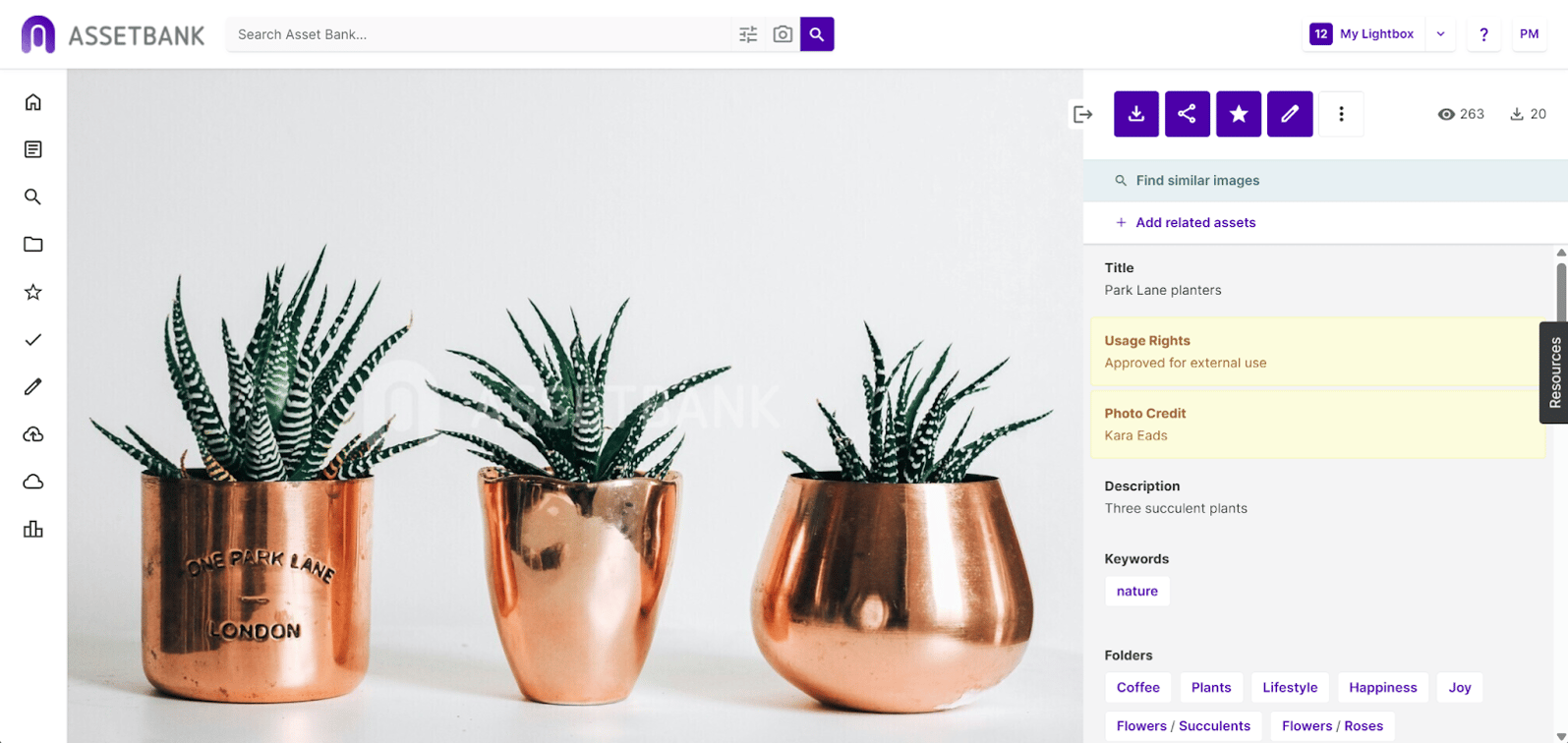
They’re not buried in metadata; they’re front and centre.
But it doesn’t stop there.
When someone clicks ‘download’, the rights are repeated again.
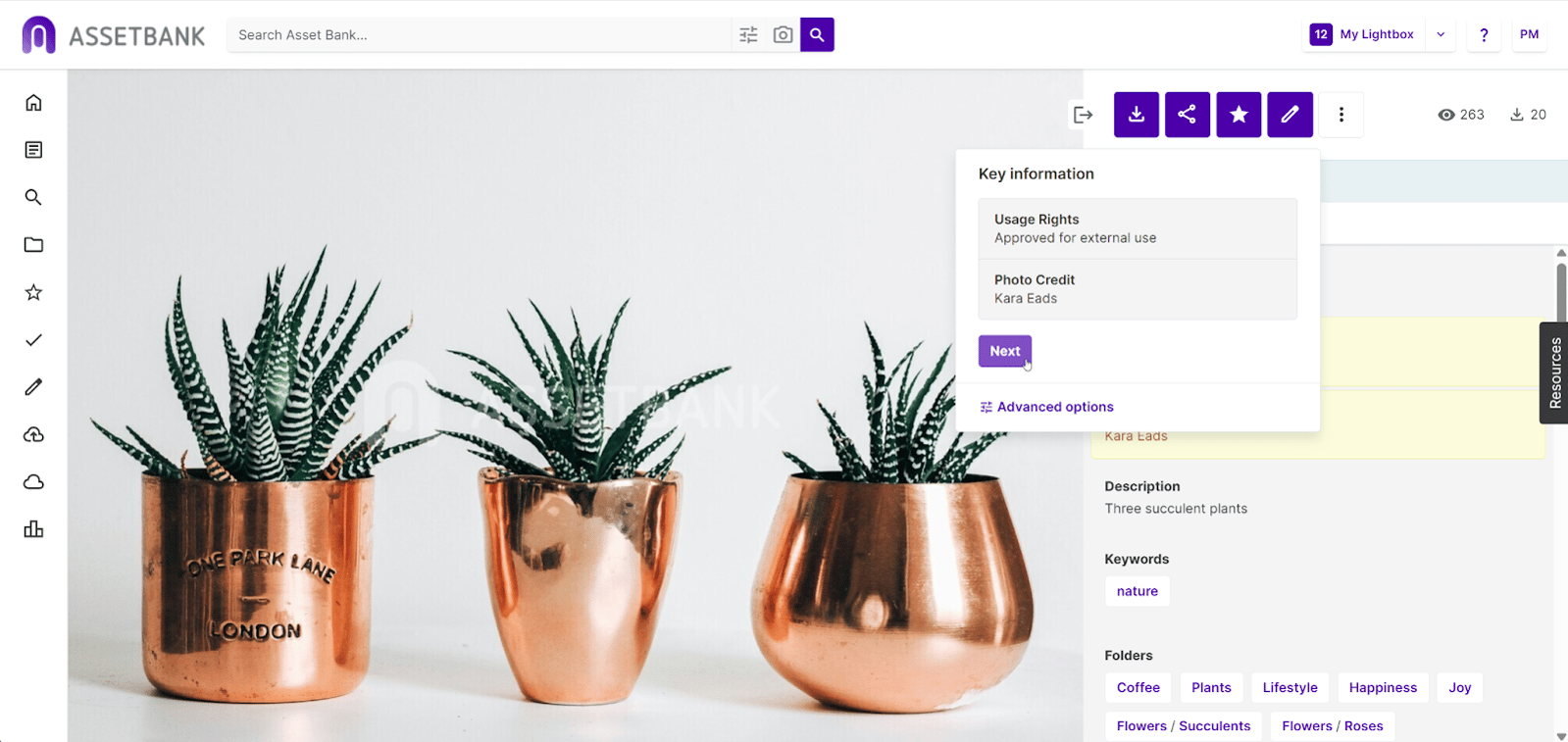
This is a crucial compliance step.
With this in place, no one can say, “I didn’t realise.”
You can even add custom introductory text to reinforce the action required, making expectations *crystal clear*.
As you can understand, this layered visibility dramatically reduces accidental misuse.
Default watermarking
With default watermarking switched on, users cannot simply take a screenshot and bypass your controls.
They have to go through the proper download process.
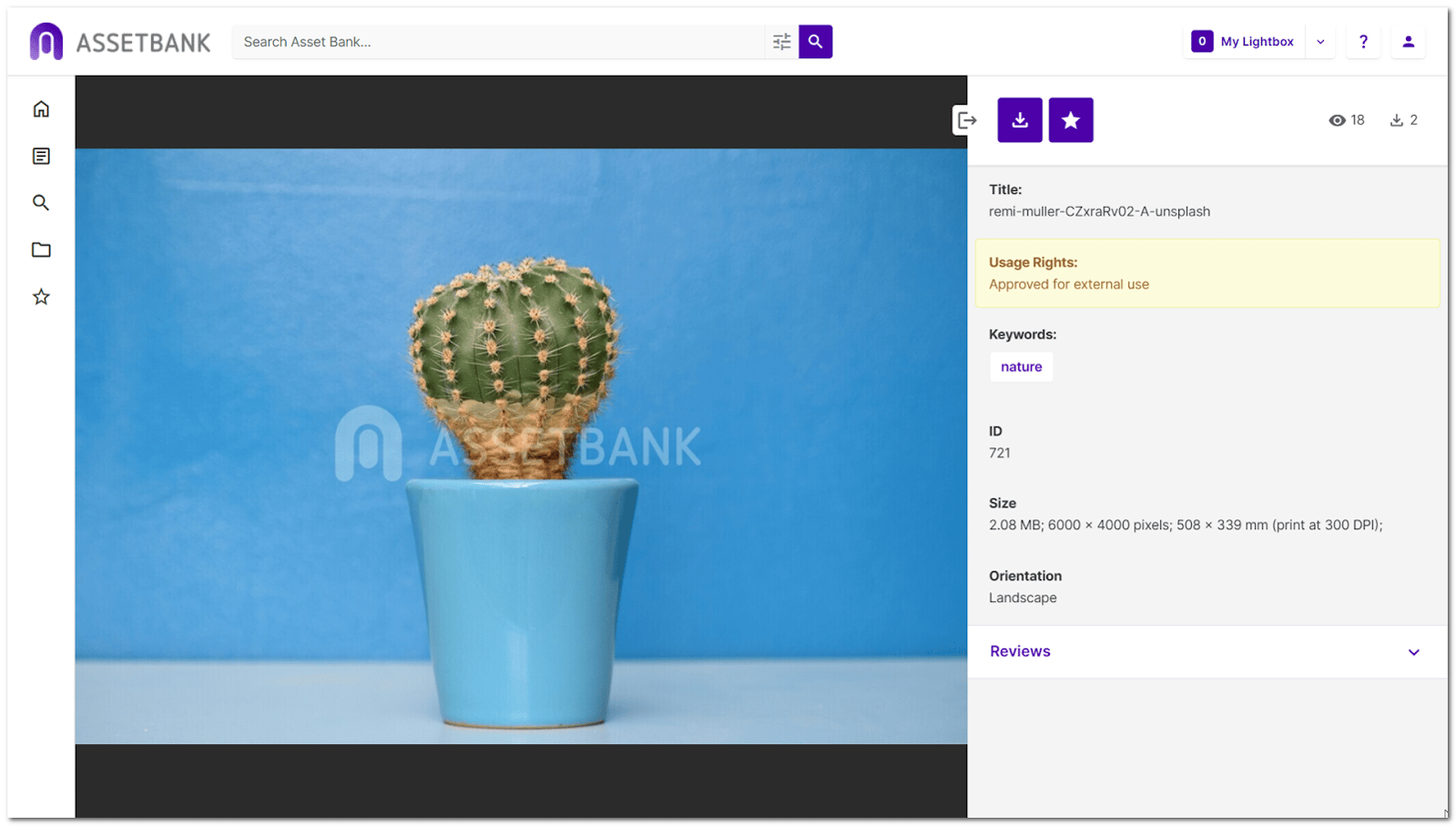
That means they see the relevant usage rights, follow any required workflows and, crucially, every download is logged.
You get a clear audit trail and confidence that your rules are being respected.
Automatic credit attribution
If credit attribution is critical – and in many organisations it is – you can go a step further.
Rather than relying on someone to remember to add a photo credit, Asset Bank can automatically overlay the correct credit directly onto the downloaded image.

It’s a simple but powerful way to reduce the risk of incorrect attribution and maintain strong relationships with photographers and agencies.
Human oversight for high-risk assets
Sometimes visibility is not enough.
If you have a high-value stock image licensed at significant cost, or sensitive imagery involving vulnerable individuals, you may want an extra layer of control.
With Download After Approval, users can still find and view the asset, but they must request approval, and explain how they plan to use the asset.
Approvers can review the request, approve or reject it, and even set expiry dates on the approval itself.
Only then can the user download the asset (assuming approval has been given).
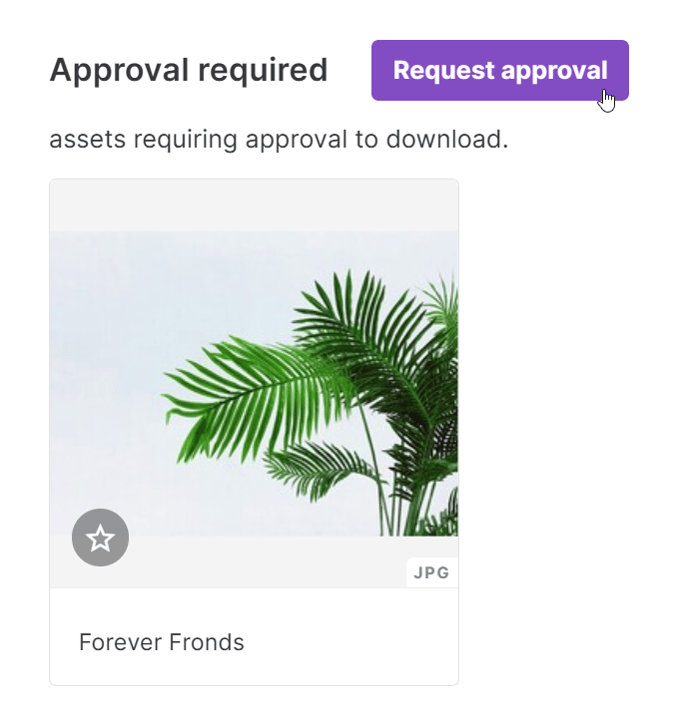
This human-in-the-loop workflow ensures assets are used appropriately while still allowing teams to move forward when justified.
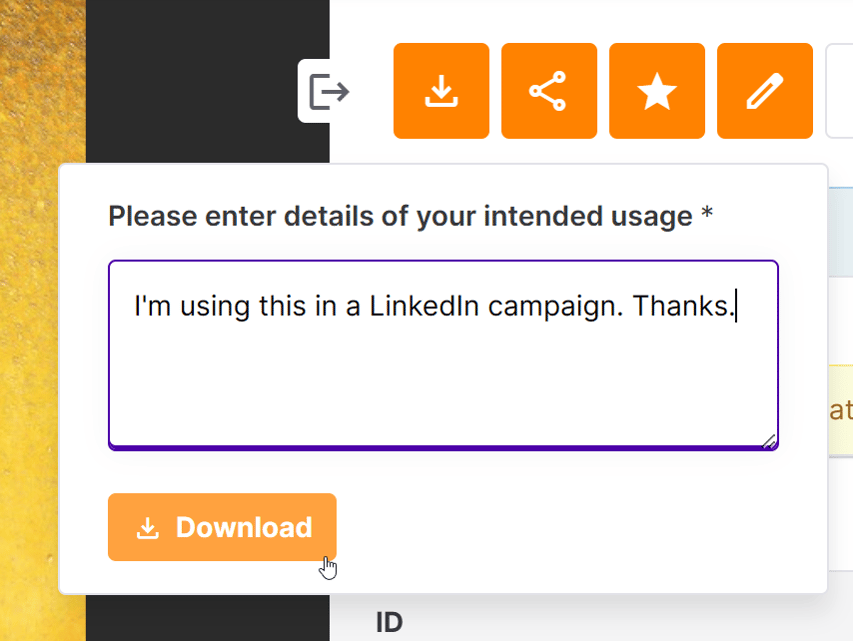
Require a reason for usage!
Similar to the above, but minus the approval step. This configuration of Asset Bank’s compliance options just requires users to provide a reason for their download.
That reason is then recorded in the download logs report.
Making sure rights travel with the file
Compliance shouldn’t stop at the point of download.
Once an asset leaves your DAM, it might be shared, forwarded or stored on a desktop for months.
That’s where risk creeps in.
Asset Bank puts a pin in that.
Our system allows rights and credit information to be embedded directly into the file’s metadata at the point of download.
Alt text can also be injected automatically.
This adds yet another layer of due diligence, protecting you if the file resurfaces later.
Some of our clients take this even further by adding a phrase such as “Rights apply” or “Please credit photographer” to the downloaded filename.
It’s a simple but powerful reminder that the image cannot be reused without checking the rules.
For organisations like charities, NFPs, and NGOs, where photographer credit is often mandatory, you can even overlay a credit directly onto the image file itself. This ensures attribution is never forgotten, even if the file is shared externally.
Extra protection for more complicated rights
Some rights are too complex for a short field.
For example, a licensing agreement might include detailed clauses about digital use, print runs or international territories.
In these cases, Asset Bank allows you to attach full agreement documents to assets.
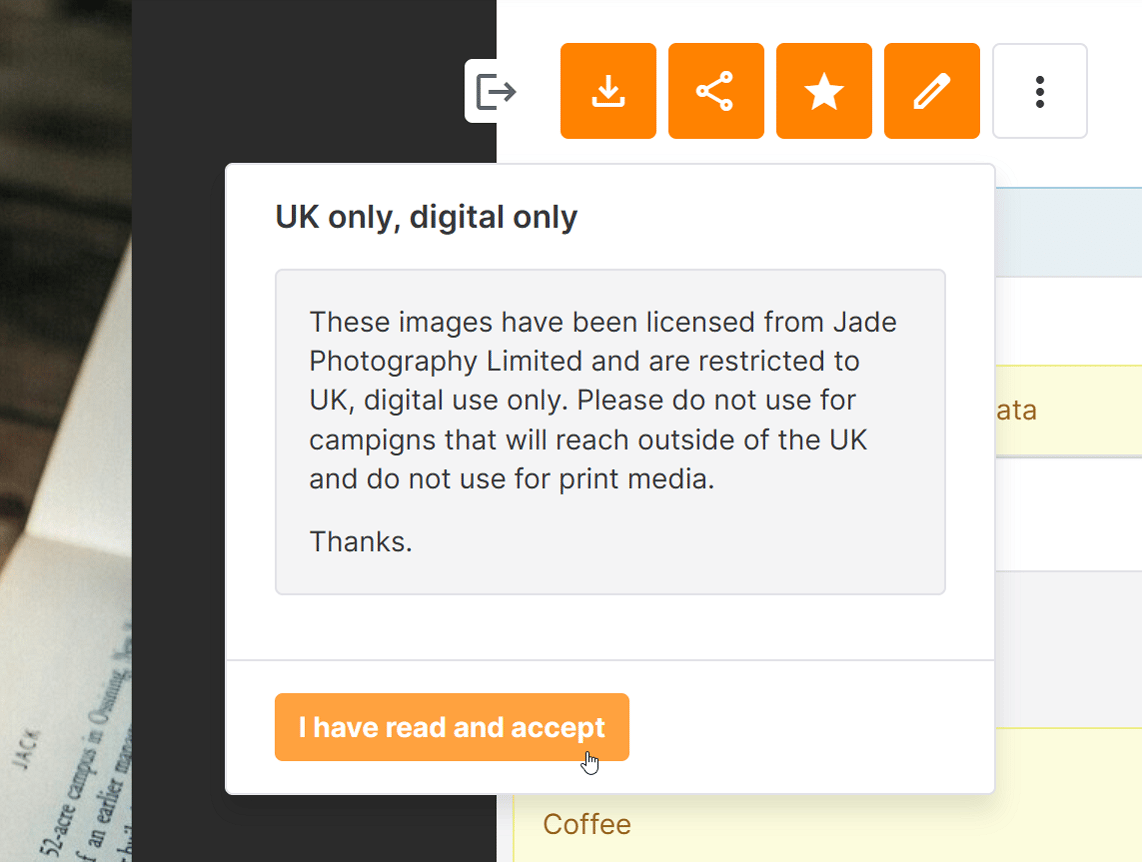
You can also require users to accept general Terms and Conditions before downloading assets. These can even vary by asset type, such as video or imagery. Users only need to accept once – unless the terms are updated.
That confirmation is then recorded, strengthening your governance and audit trail.
This creates a clear, defensible compliance process.
Time-based control with auto-expiry and embargo
Licences expire. Campaigns launch on fixed dates – and not beforehand!
Asset Bank allows you to set expiry dates on assets, ensuring they automatically become unavailable when a licence period ends.
Administrators can receive alerts before expiry, giving them time to renew licences if needed.
Users who previously downloaded the asset can also be notified, reducing the risk of continued use.

Embargo functionality works in the opposite direction.
Marketing teams can upload campaign assets weeks in advance, confident that they will not become visible until launch day.
For product launches, public announcements or seasonal campaigns, this provides peace of mind and operational efficiency.
Protecting assets inside creative workflows
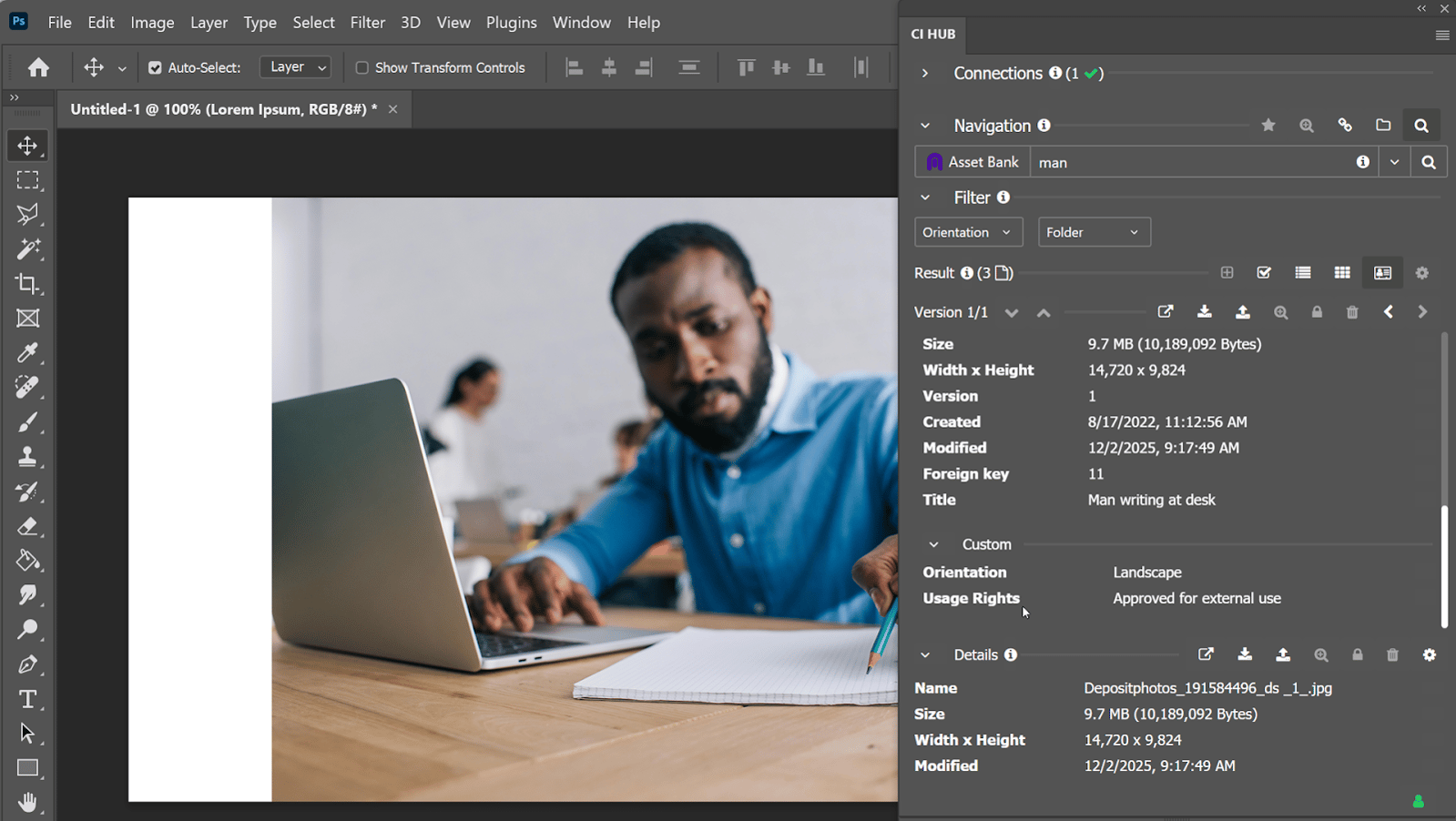
Rights information doesn’t need to be confined to the DAM interface.
With Asset Bank Connectors for Adobe Creative Cloud, Microsoft 365, Google Workspace and Figma, usage rights are visible within the creative tools.
Designers can see restrictions without leaving their workflow. That small detail makes a big difference, reducing compliance risk at the point of creation rather than afterwards.
Compliance and risk reduction built in
Asset Bank’s rights management features work together as a cohesive system.
You can control who downloads which assets.
You can restrict high-resolution files to certain user groups.
You can require explanations for downloads.
You can watermark previews to discourage misuse.
You can extract embedded rights metadata at upload and map it automatically into structured fields.
Every step reinforces the same principle: clarity, accountability and control.
Use assets confidently. Control access. Protect rights.
Regulatory compliance shouldn’t feel like a barrier to creativity. It should feel like protection.
With Asset Bank, rights management is visible, enforceable and tailored to your organisation. From embedded metadata to approval workflows and automated expiry, every feature supports your ability to stay compliant without slowing down your team.
When rights are clear, workflows are controlled and audit trails are strong, marketing teams can move faster – confidently and safely.
To learn more about how Asset Bank can help you maintain better control over your content's compliance, why not book a demo today?

Dont’ forget to share this post